Built-in timer
Time a live reading and send the result directly into the calculation fields.
Assess letter-name knowledge, letter-sound knowledge, phonics patterns, and oral reading fluency — with clear results teachers can use to plan what comes next.
Results appear on screen right away, with reports teachers can print or save for their own records. No student accounts required.
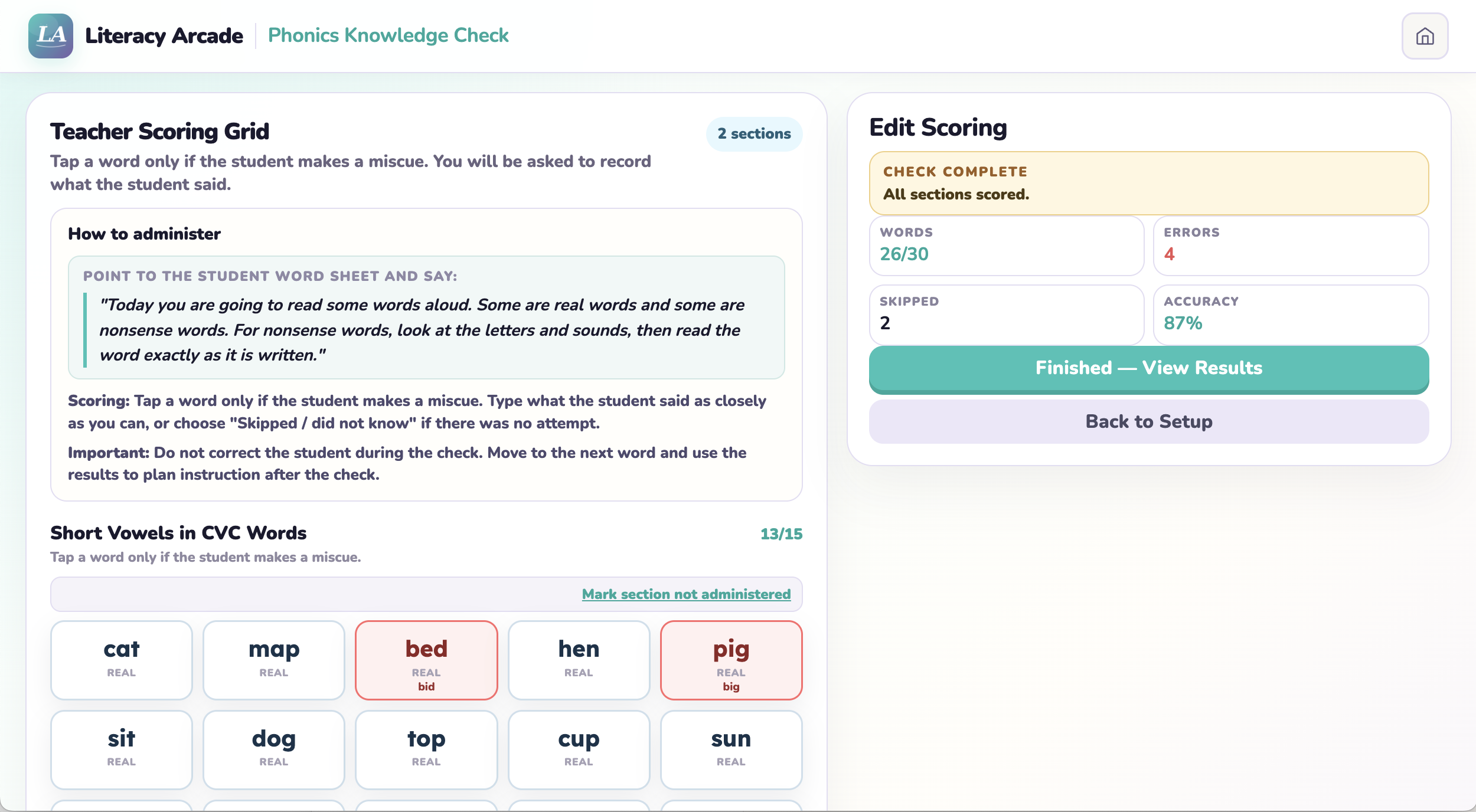
Choose the skills to check, score responses as the student reads, and review organized results immediately.
Match your question to the right check:
Four checks, organized by developmental progression — from letter names through connected-text fluency.
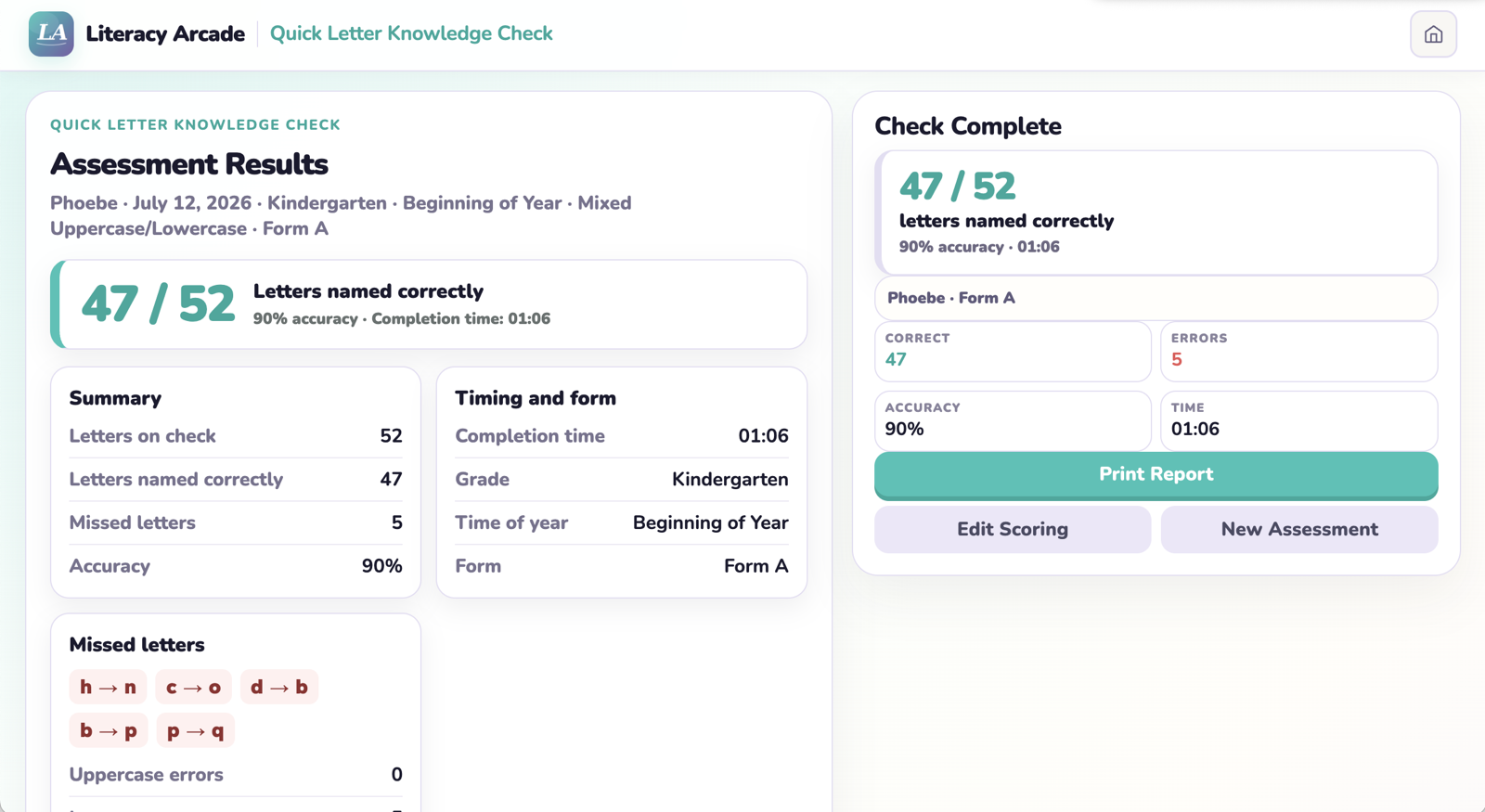 Quick Letter Knowledge CheckOpen check →
Check uppercase and lowercase letter-name knowledge. Receive organized results, missed-letter patterns, and possible instructional next steps.
Optional timerSkill-based
On-screen results + printable report
Quick Letter Knowledge CheckOpen check →
Check uppercase and lowercase letter-name knowledge. Receive organized results, missed-letter patterns, and possible instructional next steps.
Optional timerSkill-based
On-screen results + printable report
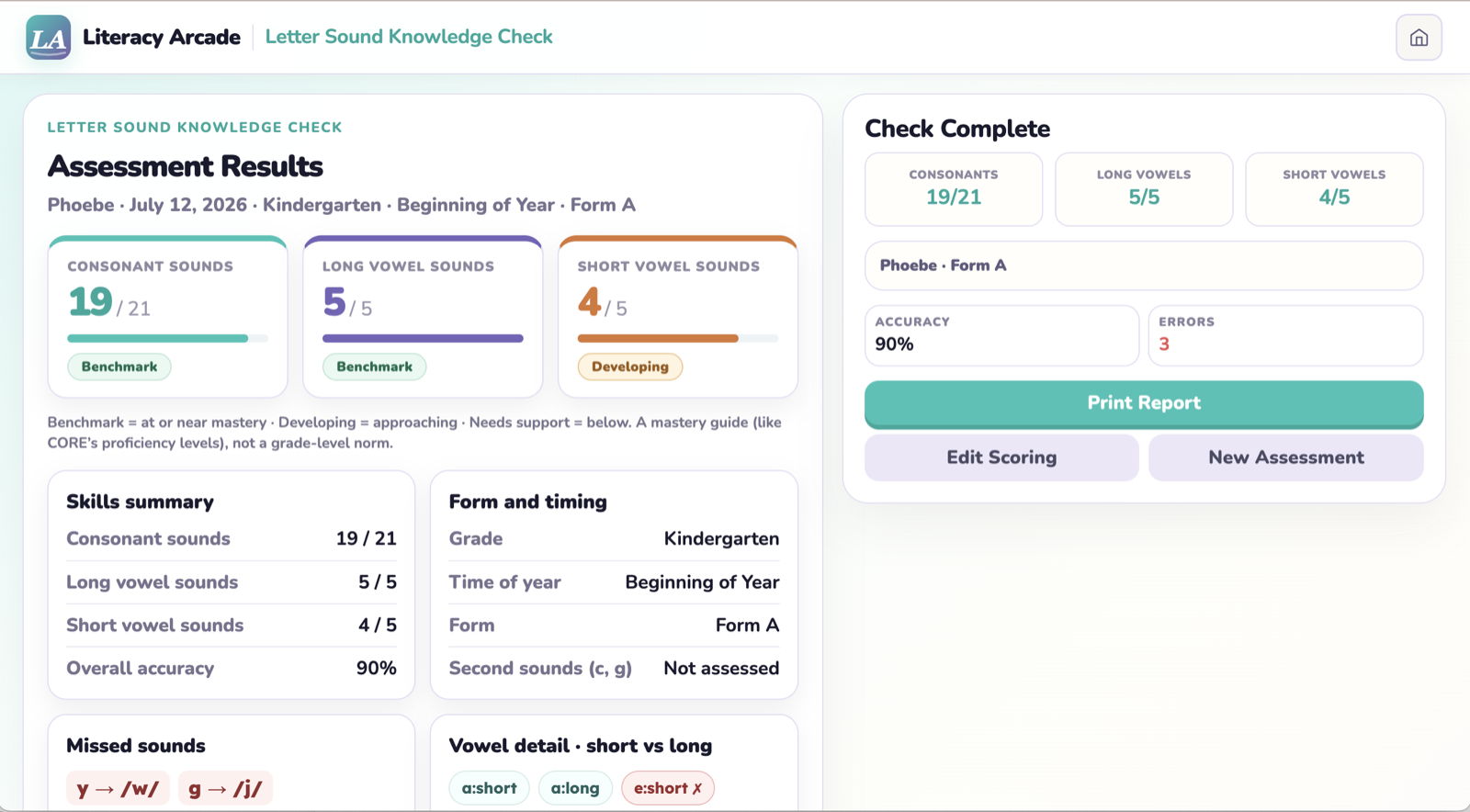 Letter Sound Knowledge CheckOpen check →
Check consonant and short- and long-vowel sounds. Receive skill-level results and clear sound patterns to reinforce.
Optional timerSkill-based
On-screen results + printable report
Letter Sound Knowledge CheckOpen check →
Check consonant and short- and long-vowel sounds. Receive skill-level results and clear sound patterns to reinforce.
Optional timerSkill-based
On-screen results + printable report
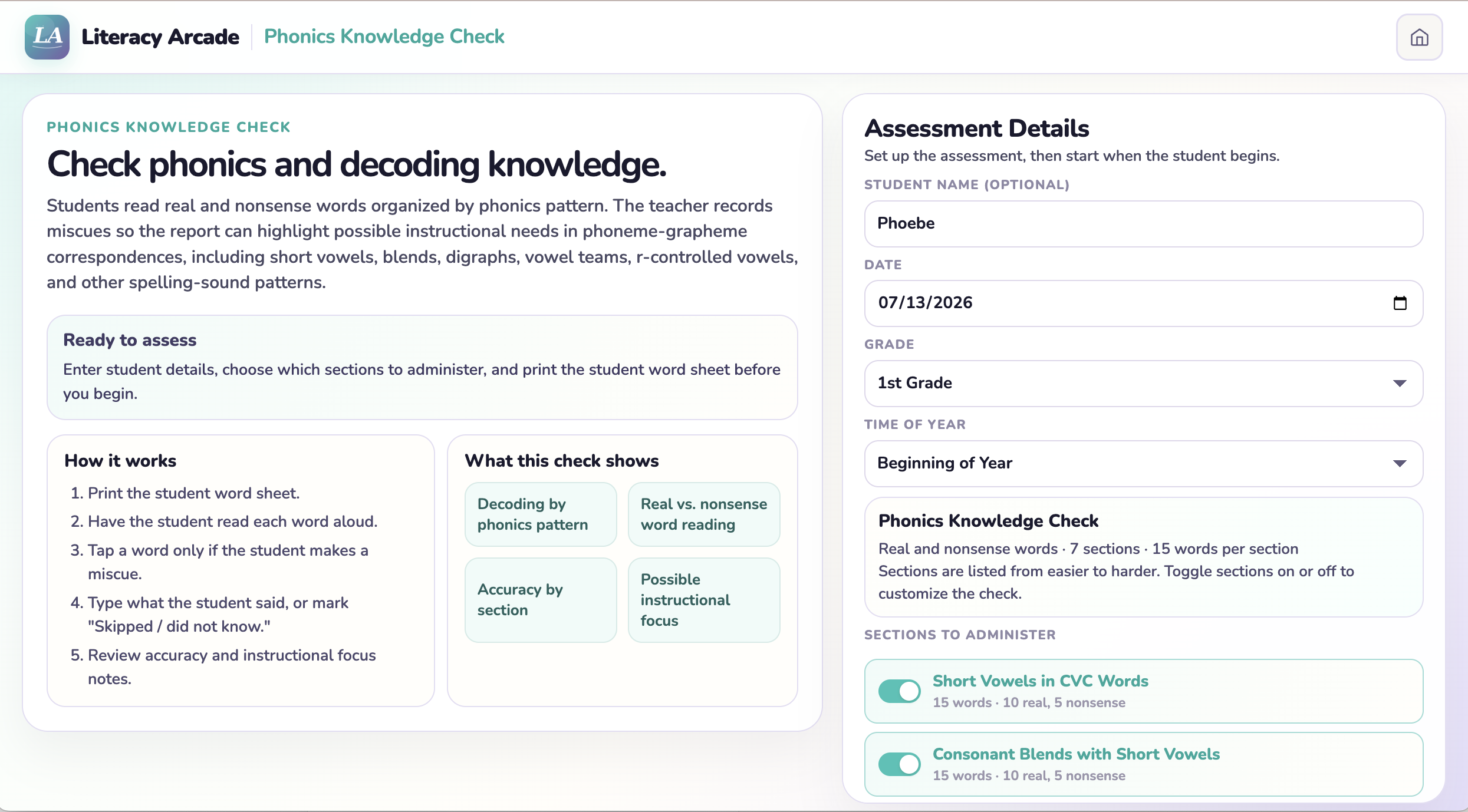
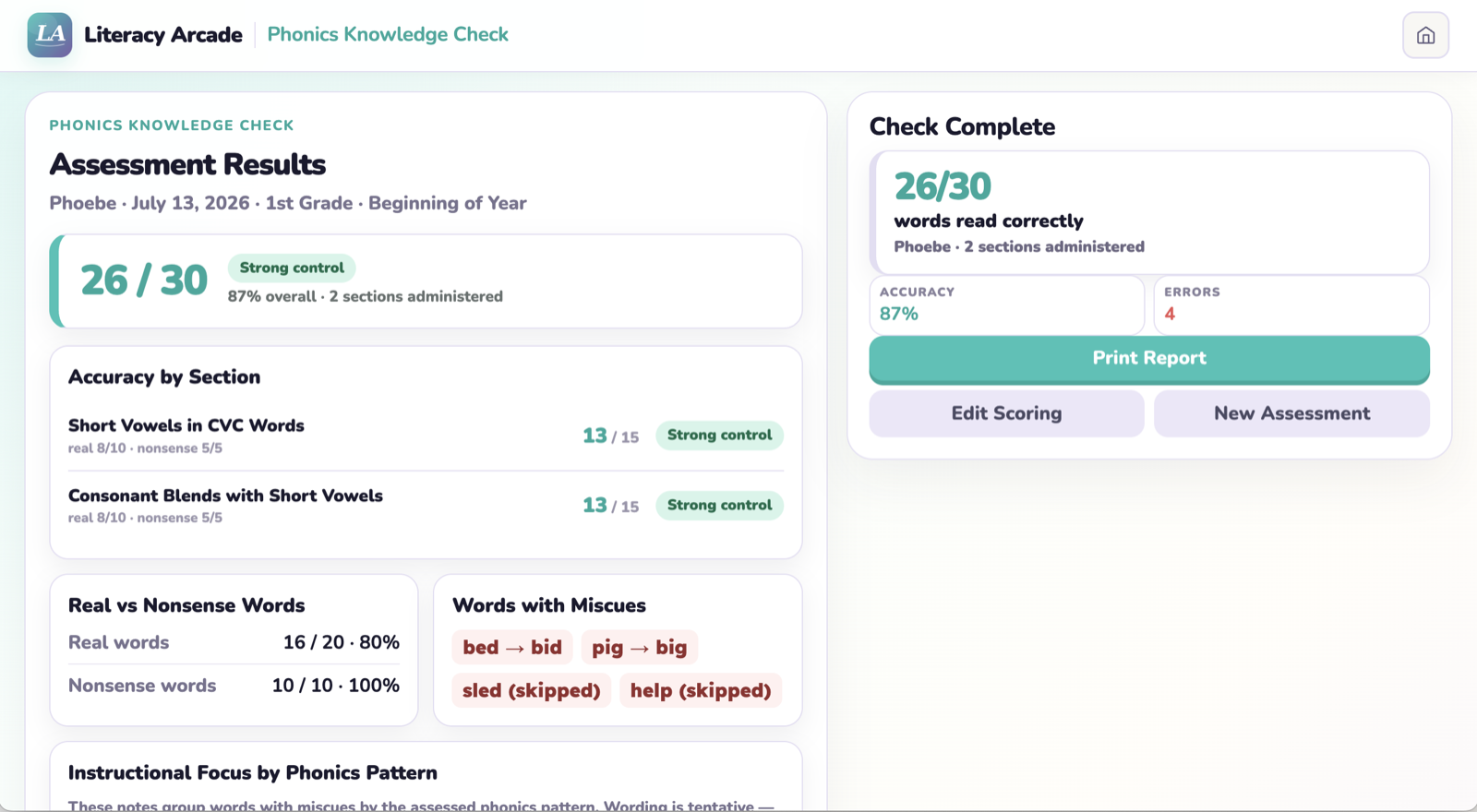 Phonics Knowledge CheckOpen check →
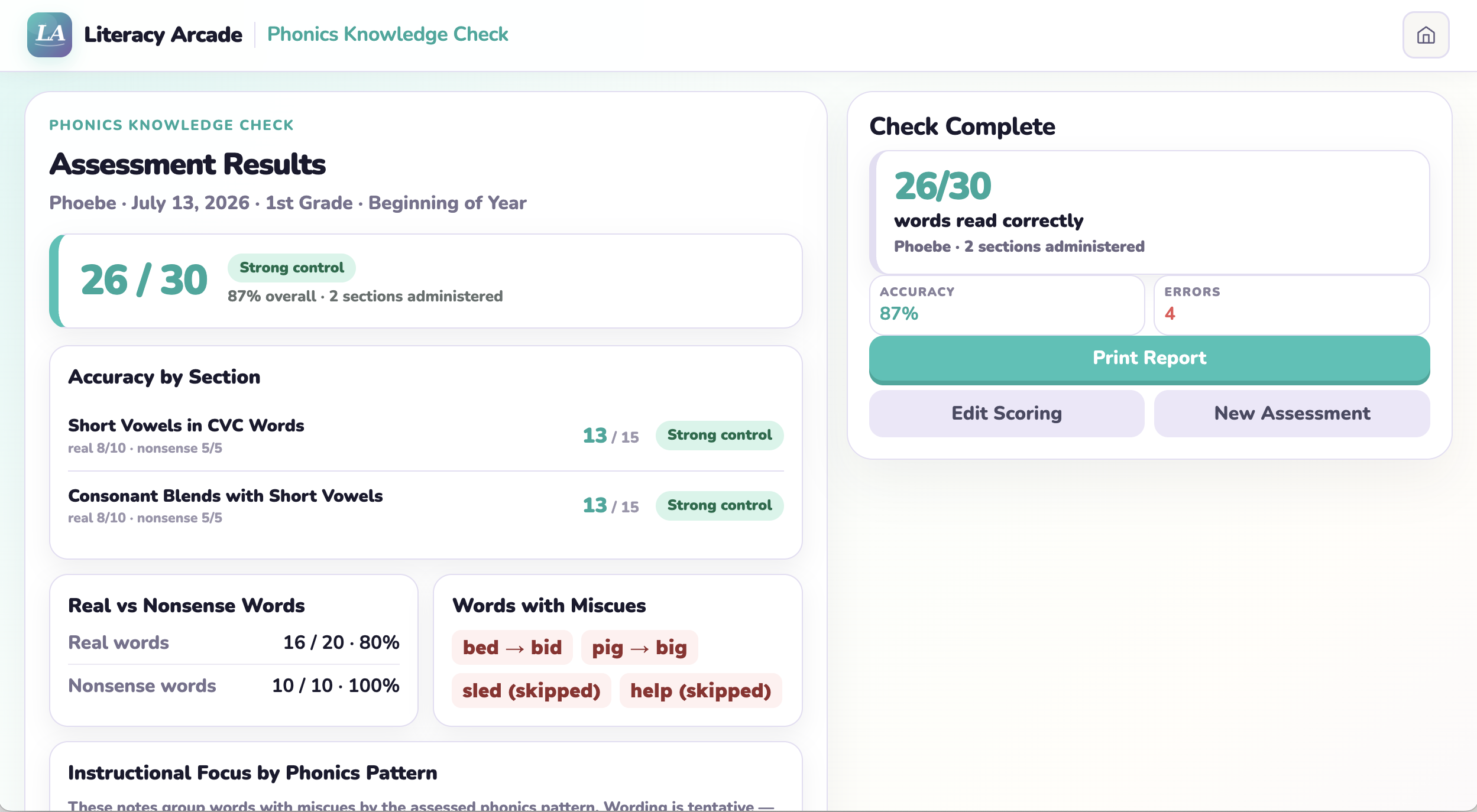
Check real and nonsense-word reading by phonics pattern. Receive accuracy by section, miscues, and possible instructional focus areas.
Custom sectionsPattern-based
On-screen results + printable report
Assessment + Fluency Tool
Phonics Knowledge CheckOpen check →
Check real and nonsense-word reading by phonics pattern. Receive accuracy by section, miscues, and possible instructional focus areas.
Custom sectionsPattern-based
On-screen results + printable report
Assessment + Fluency Tool
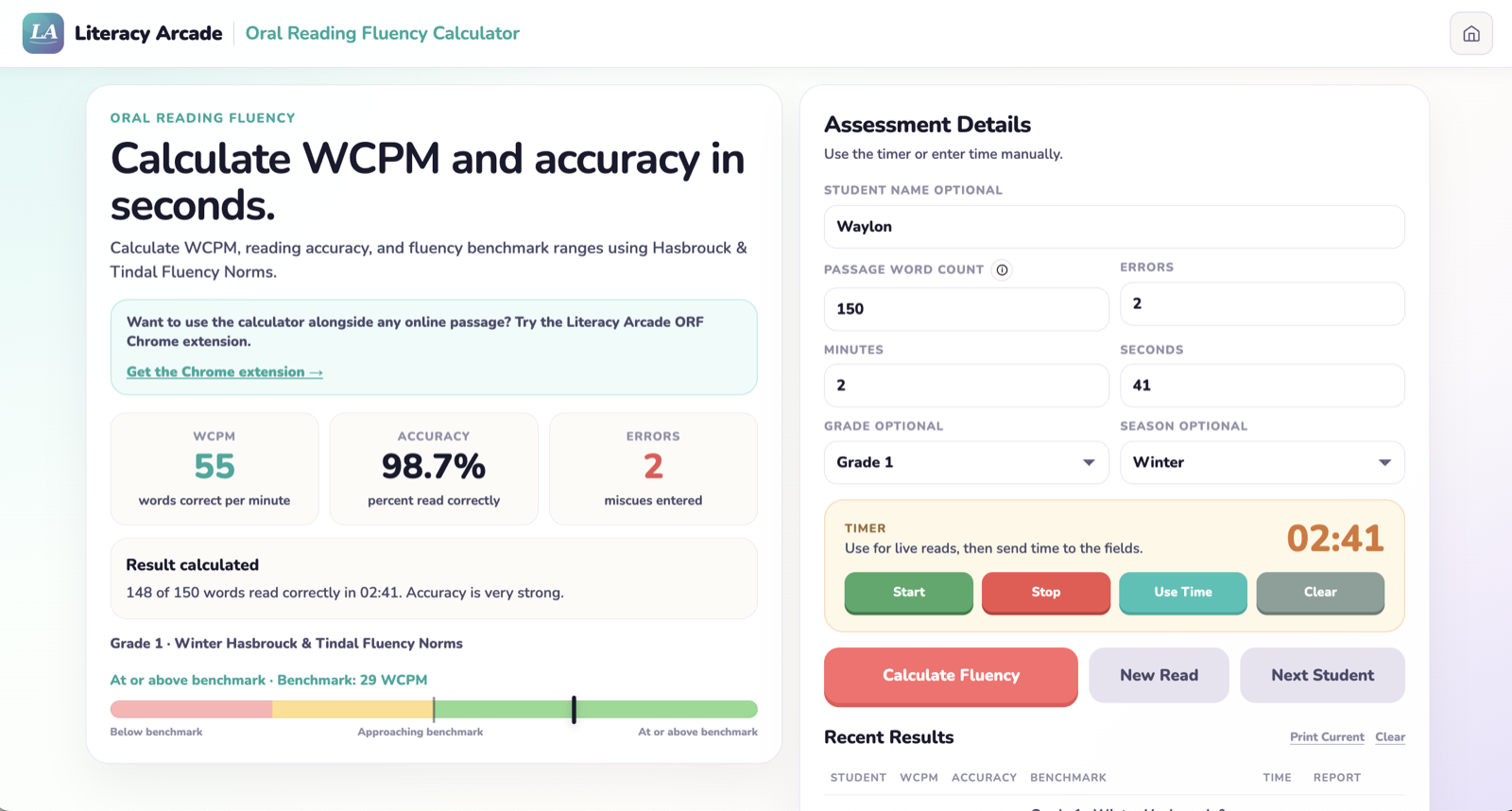 Oral Reading Fluency CalculatorOpen ORF calculator →
Time a teacher-selected passage, enter miscues, and calculate WCPM and accuracy with seasonal benchmark ranges.
Teacher-selected passageWCPM + accuracy
Printable report + Chrome extension available
Oral Reading Fluency CalculatorOpen ORF calculator →
Time a teacher-selected passage, enter miscues, and calculate WCPM and accuracy with seasonal benchmark ranges.
Teacher-selected passageWCPM + accuracy
Printable report + Chrome extension available
Time a passage, enter the number of words and miscues, and instantly calculate words correct per minute, accuracy, and seasonal benchmark information.
Open ORF calculatorTime a live reading and send the result directly into the calculation fields.
See words correct per minute, accuracy, miscues, and benchmark information together.
Start another reading or move directly to the next student without rebuilding the assessment.
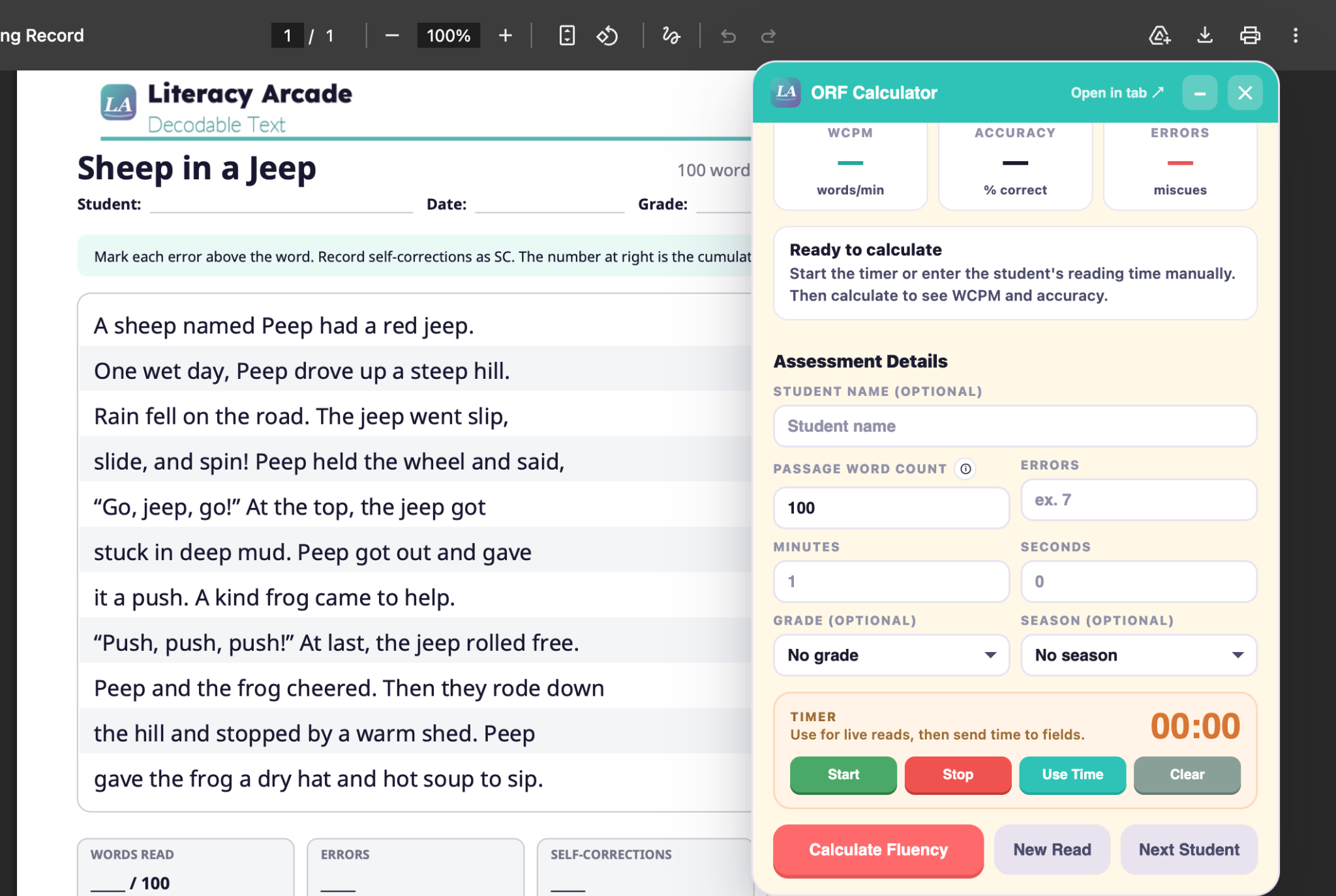
Open a check and go — no setup, no logins. Timing is built in where you need it and optional where you don't.
Results organize by skill, include benchmark or category information where appropriate, and suggest possible instructional focus areas.
Print or save the report with your own records, following your school or tutoring policies. Student names and assessment histories are not saved to teacher accounts.
Each letter and phonics report keeps the score easy to find while providing a separate page for patterns and possible next steps.
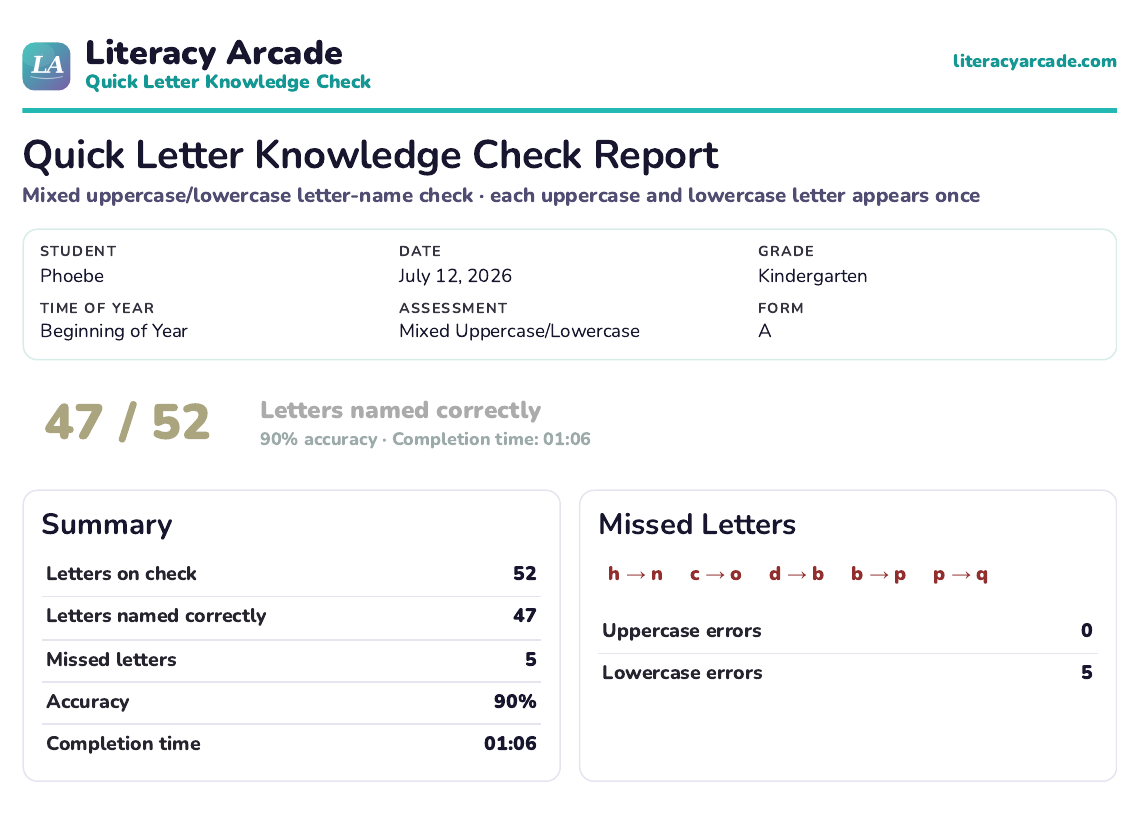
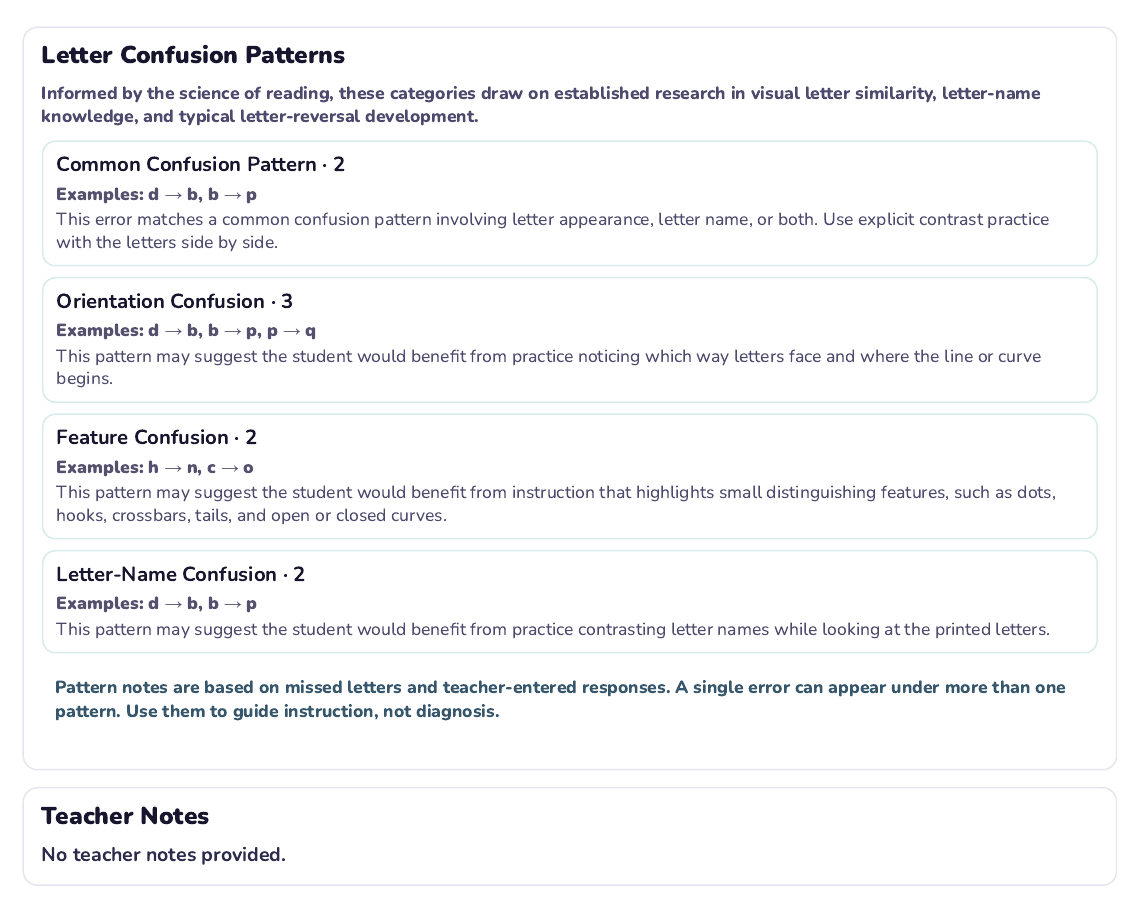
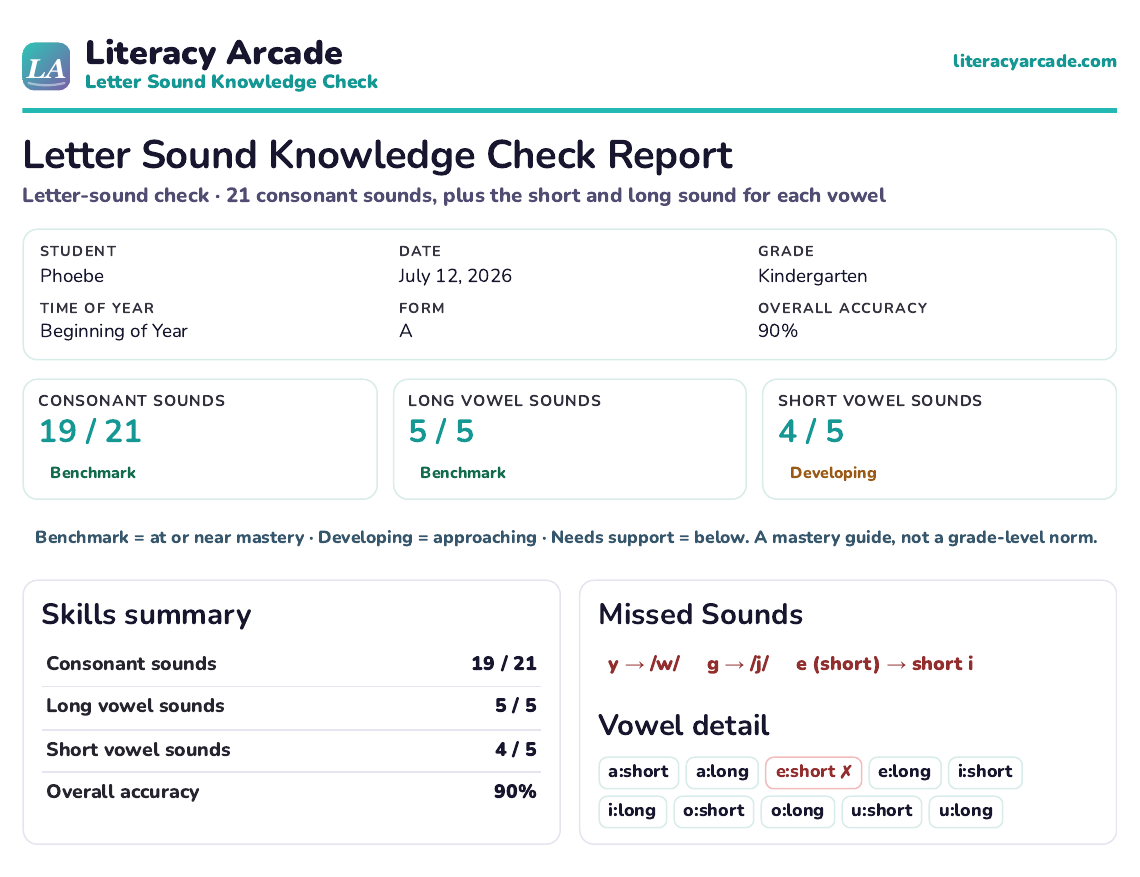
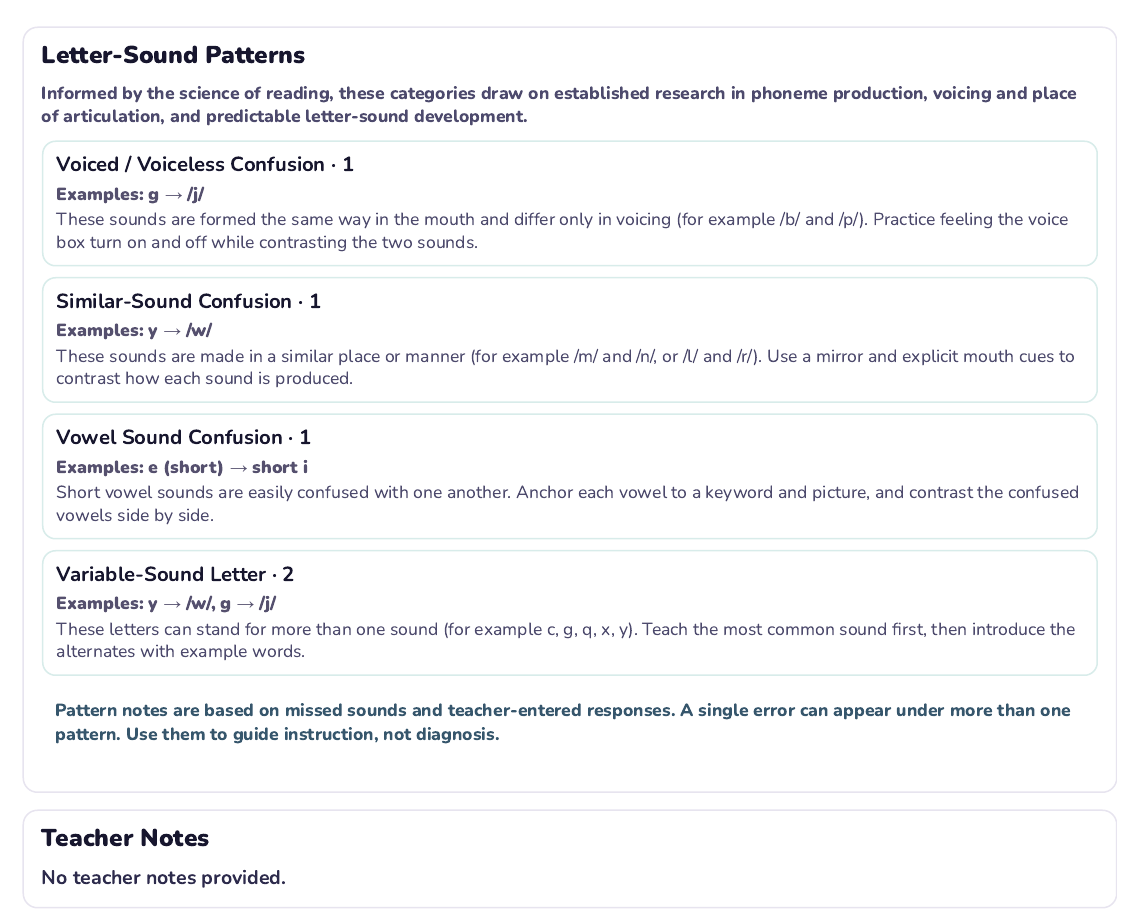
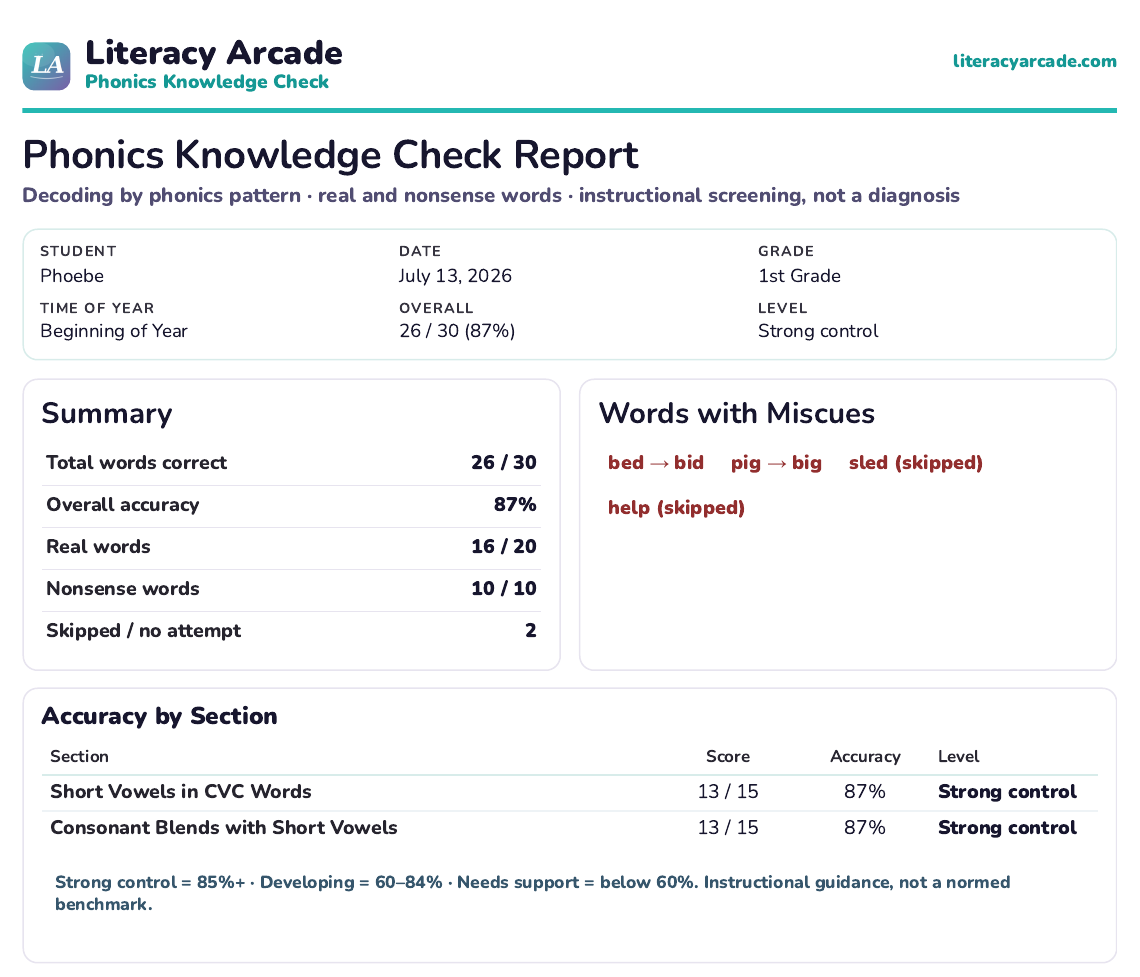
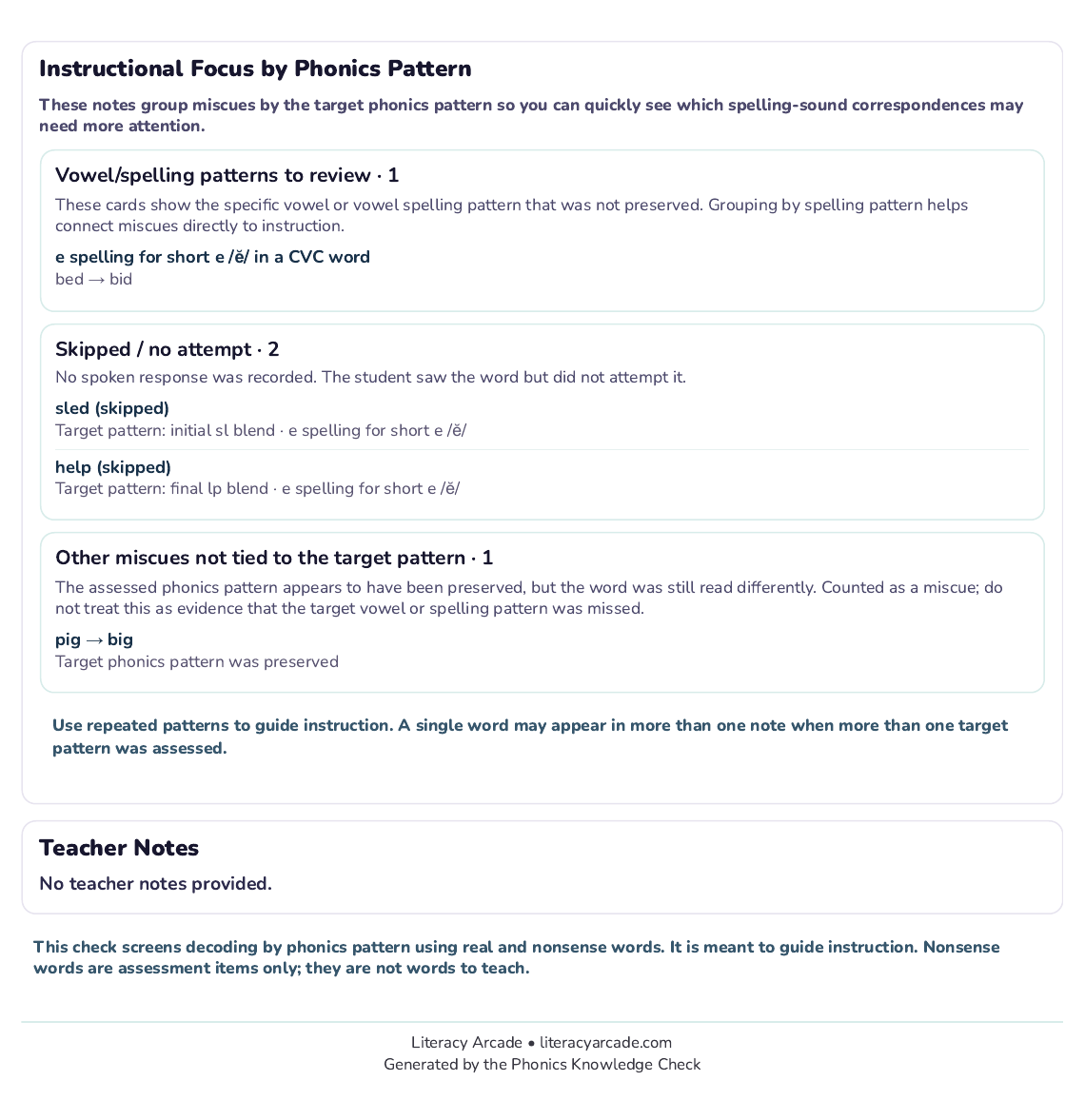
Each foundational-skills check generates a print-ready report that organizes results by skill and suggests possible areas of instructional focus. These are informal checks to guide teaching — not diagnostic tools or formal screeners — designed to help you see what a student knows and plan what to teach next.
Assessed fluency? Head to Fluency tools for repeated reading practice. Found a phonics gap? Build & Play has games you can load with exactly the words a student needs. Want your setups ready every time? A free account saves your activities to your dashboard.
Save unlimited activities, organize your teaching materials, view complete assessment results, and print reports and lesson plans.
No student accounts required.
Plans start at $7.99 per month.