1
Choose or enter words
Use organized word banks or type your own words.
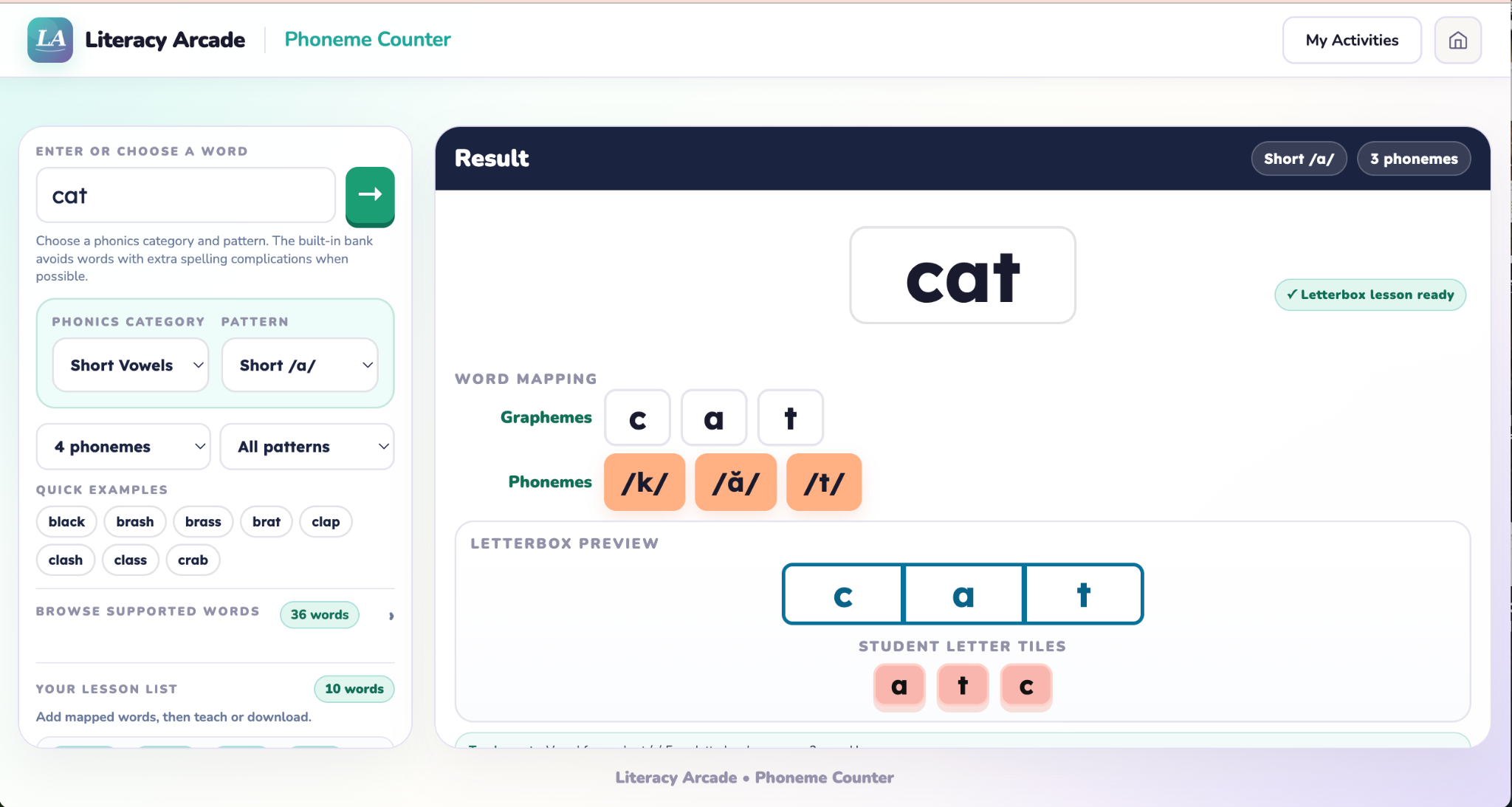
Plan phoneme-grapheme mapping lessons, explore speech sounds, and teach letterbox lessons on screen with supported word lists organized by phonics pattern.
Choose the right words, map sounds to spellings, then print a lesson plan or move directly into live instruction. No student accounts required.
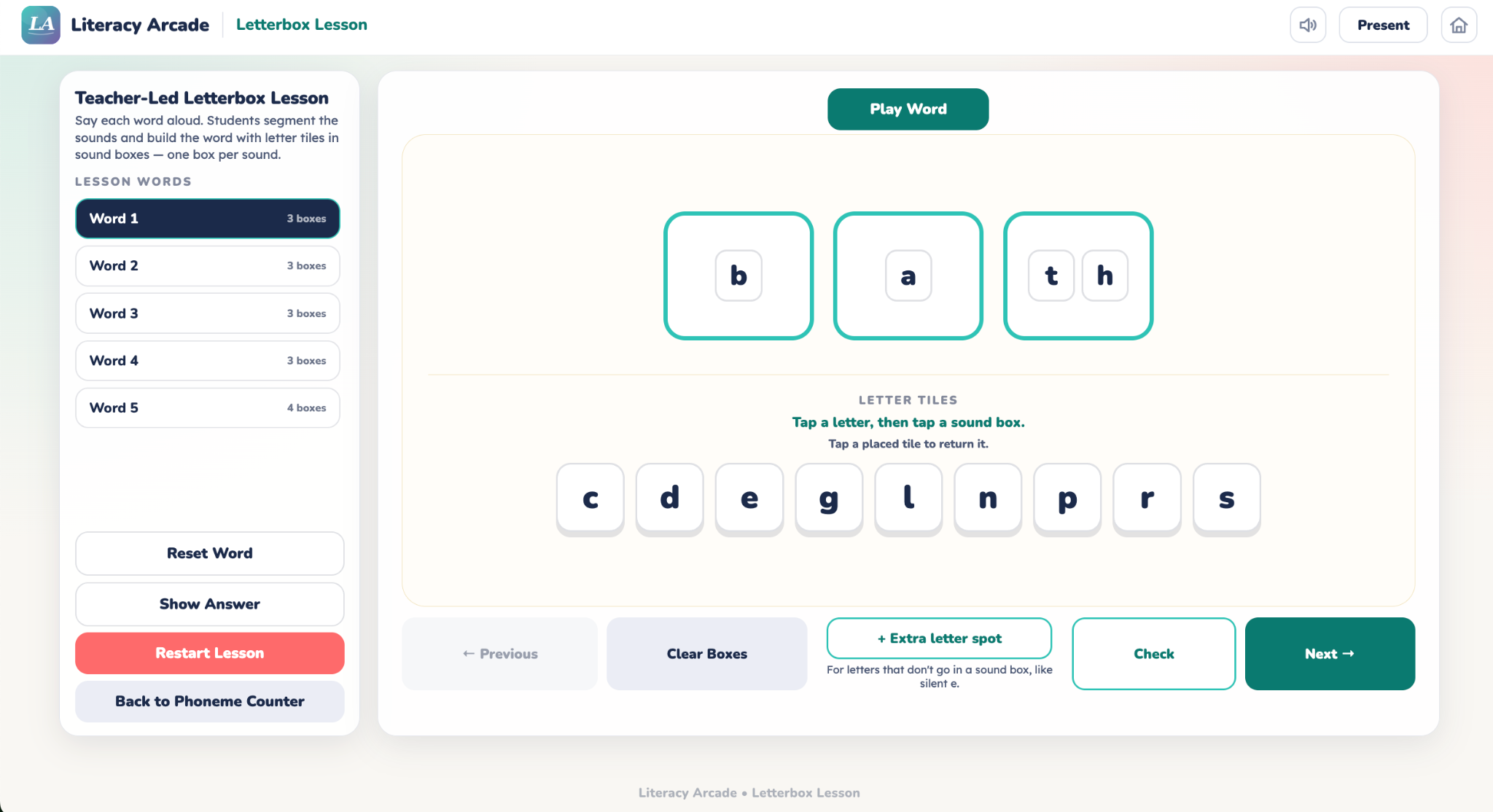
Plan a lesson, then teach it in person with The Letter Box tiles or virtually on screen.
Choose the question that sounds most like what you need today.
Use organized word banks or type your own words.
Use the Phoneme Counter to review phonemes, graphemes, and letterbox mapping.
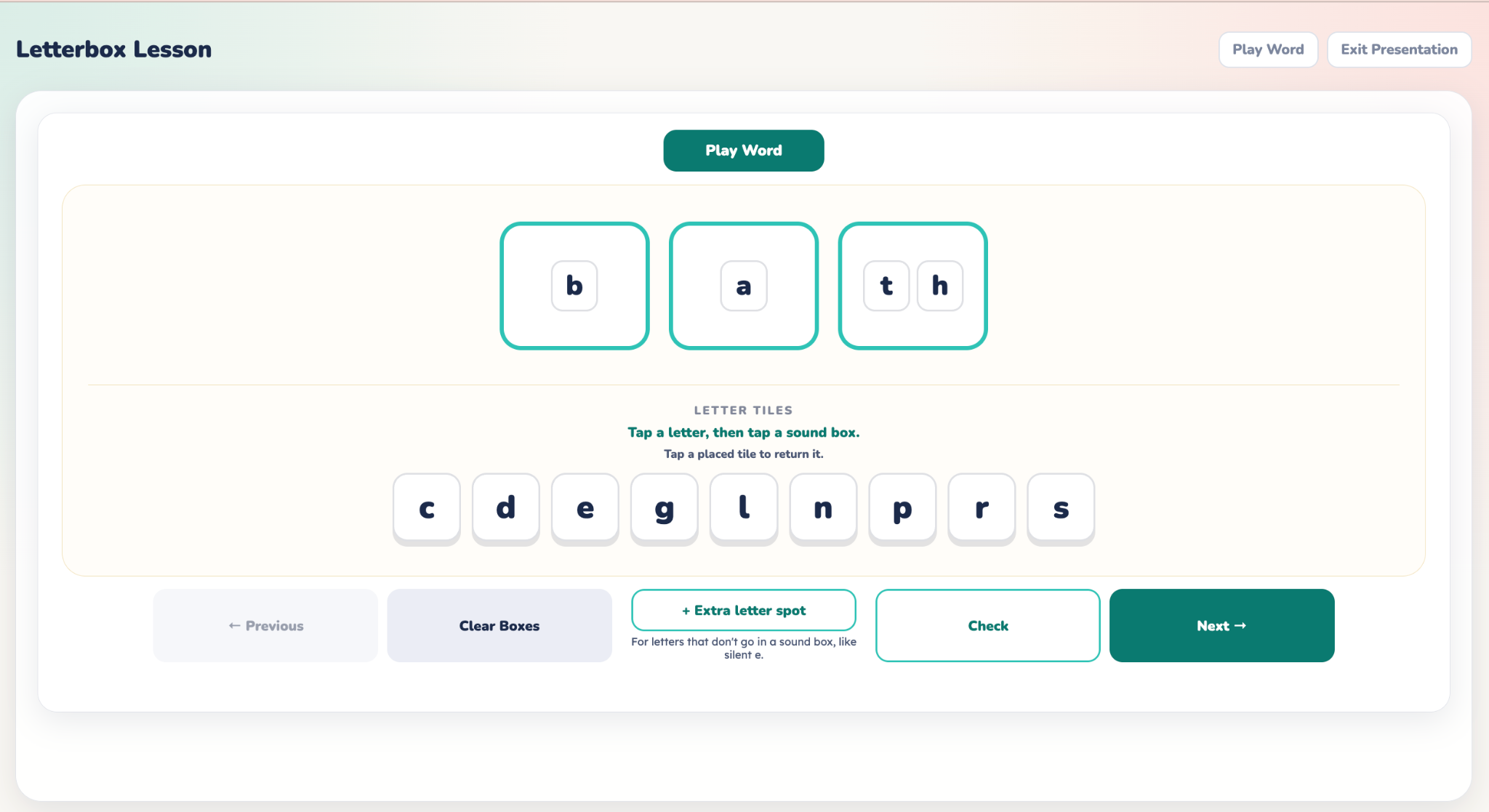
Download the lesson plan or continue to a live lesson with sound boxes and drag-and-drop letter tiles.
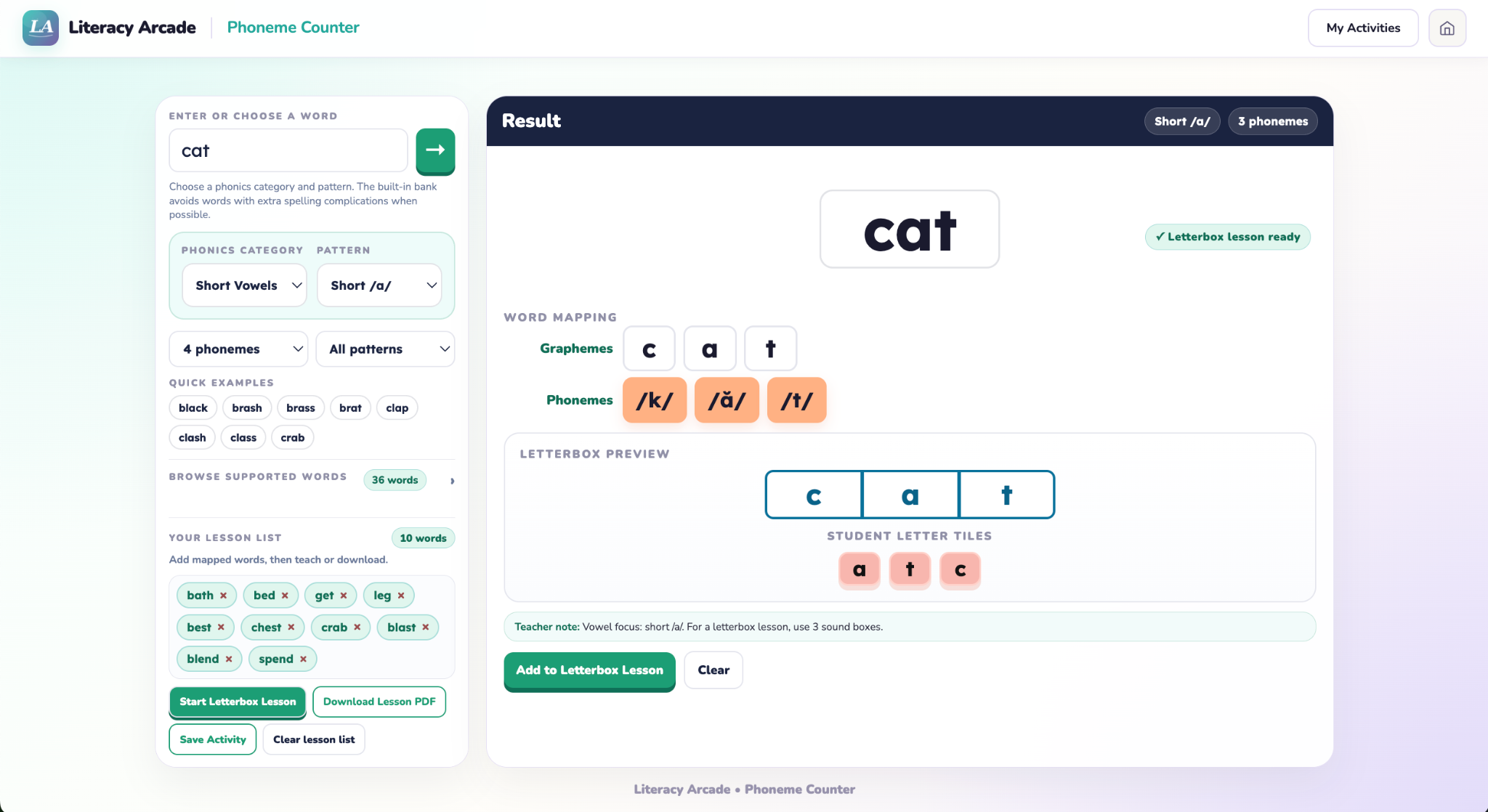
Move from selecting words to mapping sounds, planning the lesson, and teaching it live.
Phoneme Counter
Count phonemes, review phoneme-grapheme and letterbox mapping, and build a lesson list with supported words organized by phonics pattern.
Open tool →
Letterbox Lesson
Teach a lesson built from the Phoneme Counter using sound boxes, drag-and-drop letter tiles, and teacher-controlled checking during live instruction.
Open tool →
Interactive Phoneme Chart
Select a consonant or vowel to hear the sound, see a familiar example, and review teacher-friendly articulation guidance.
Coming soon
Preview how the chart groups consonants and brings teacher-friendly articulation guidance into view for a selected sound.
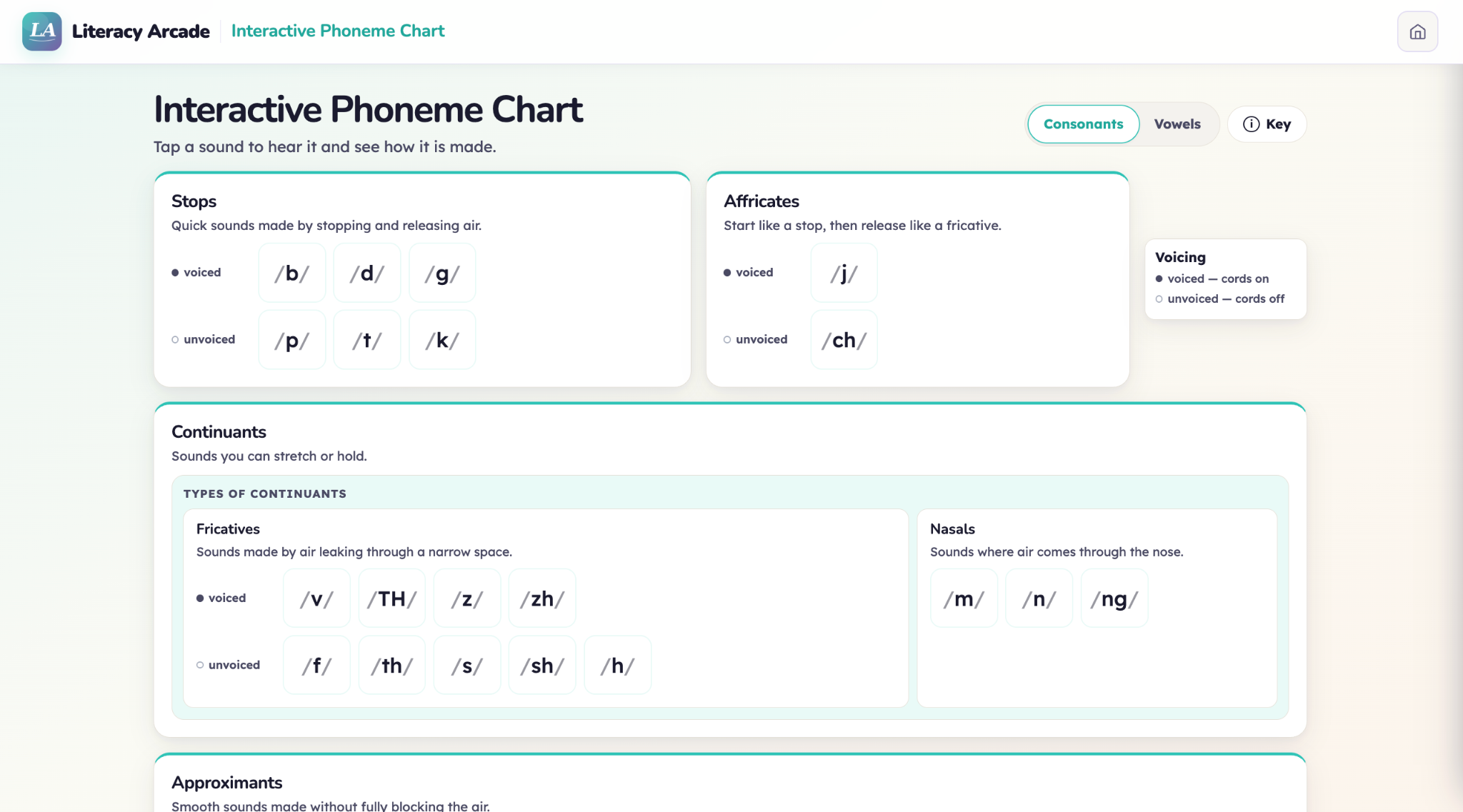
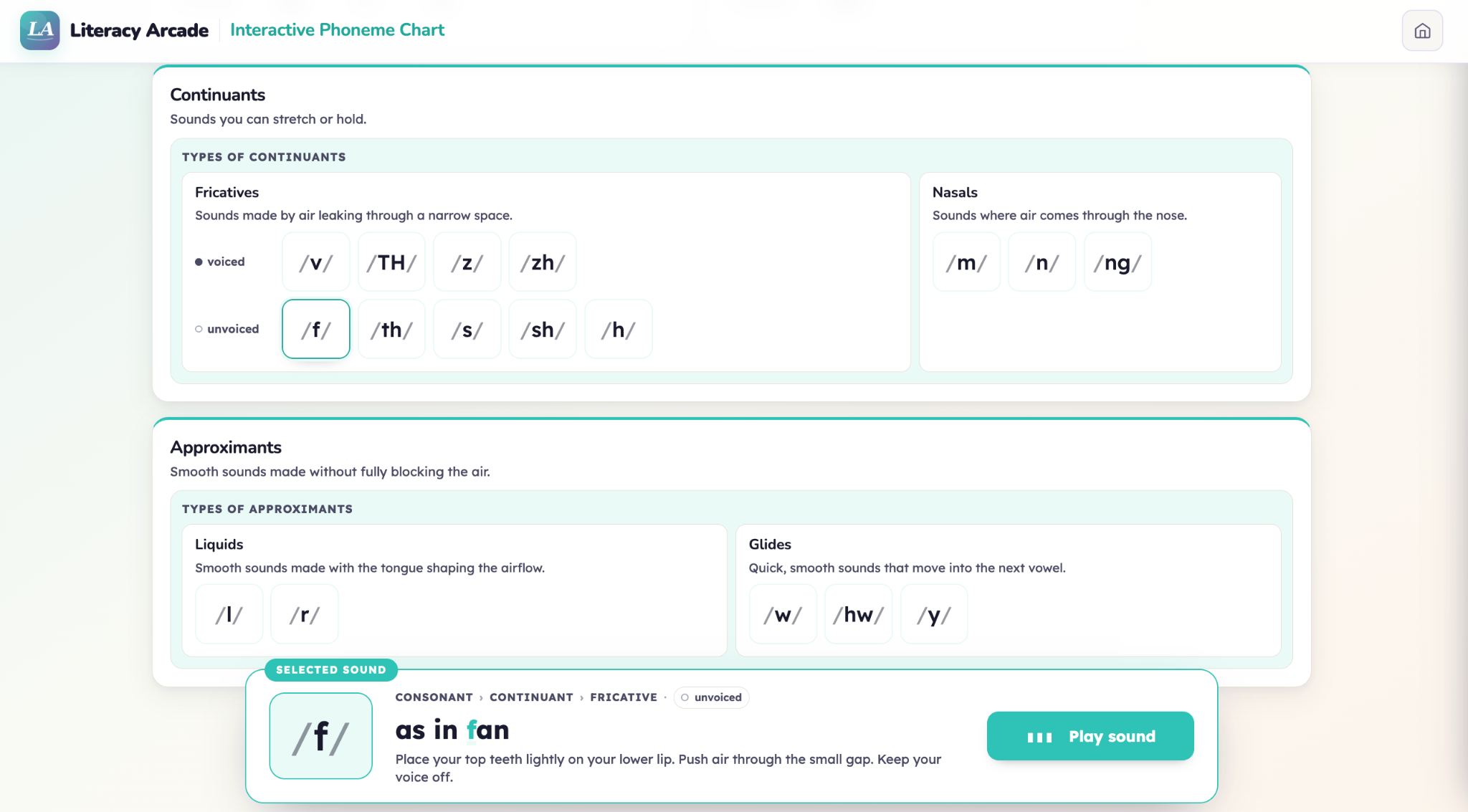
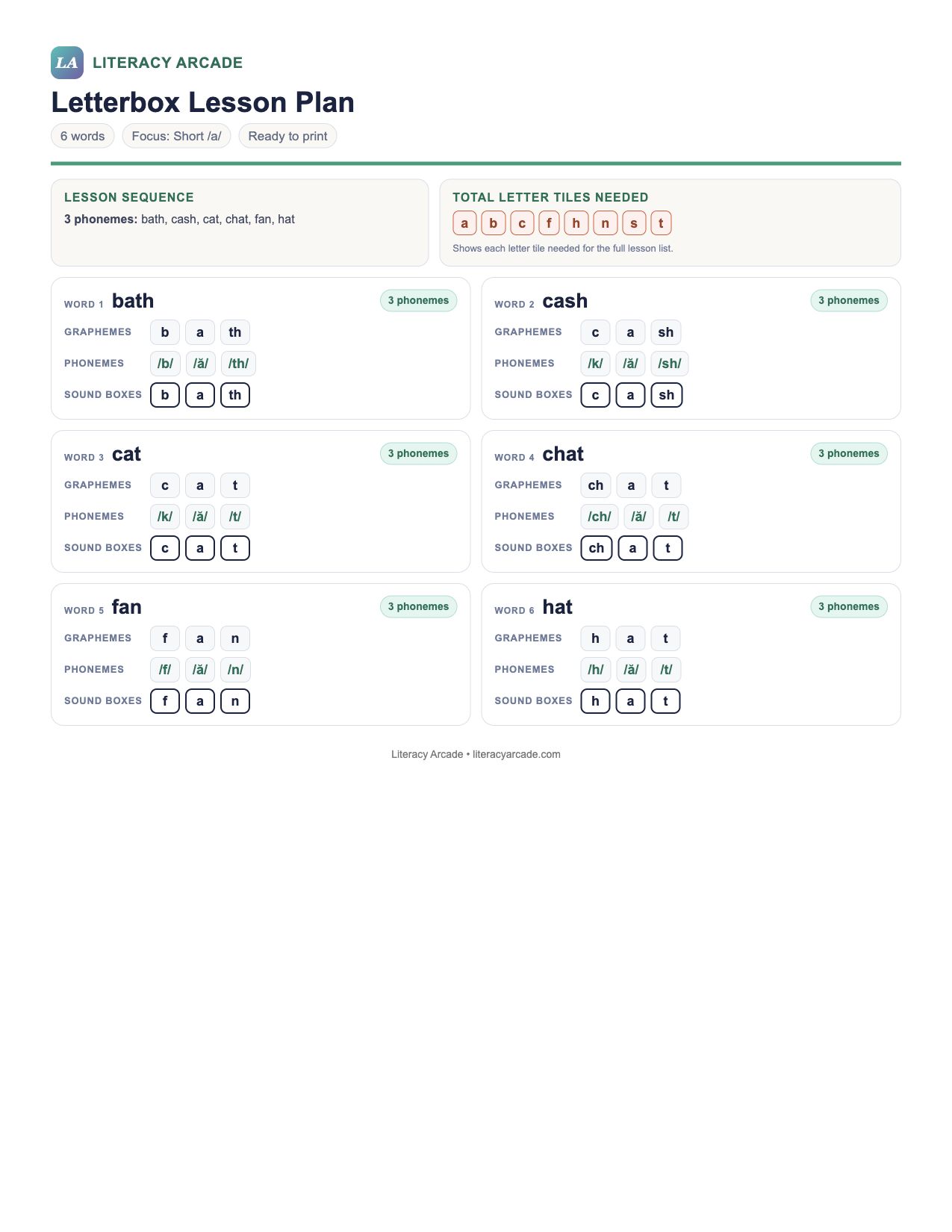
Build a lesson list in the Phoneme Counter, download a ready-to-use plan, or continue directly to the interactive Letterbox Lesson.
Letterbox lessons work best when words map clearly sound by sound. The Phoneme Counter supports intentional word selection and helps teachers check the mapping before instruction. Explicit modeling and guided practice do the teaching; these tools support the preparation.
Identify the letter-sound correspondences or phonics patterns students need next.
Explore assessments →Load the same words into a game, spinner, or flashcard activity for practice.
Build practice →Move into repeated reading when students are working with sentences and connected text.
Explore fluency →